Introduction
In many SMEs, the sales, accounting, and logistics teams each work with their own files and software. The result: inconsistent information, invoicing errors, stock discrepancies, and response times that are too long.
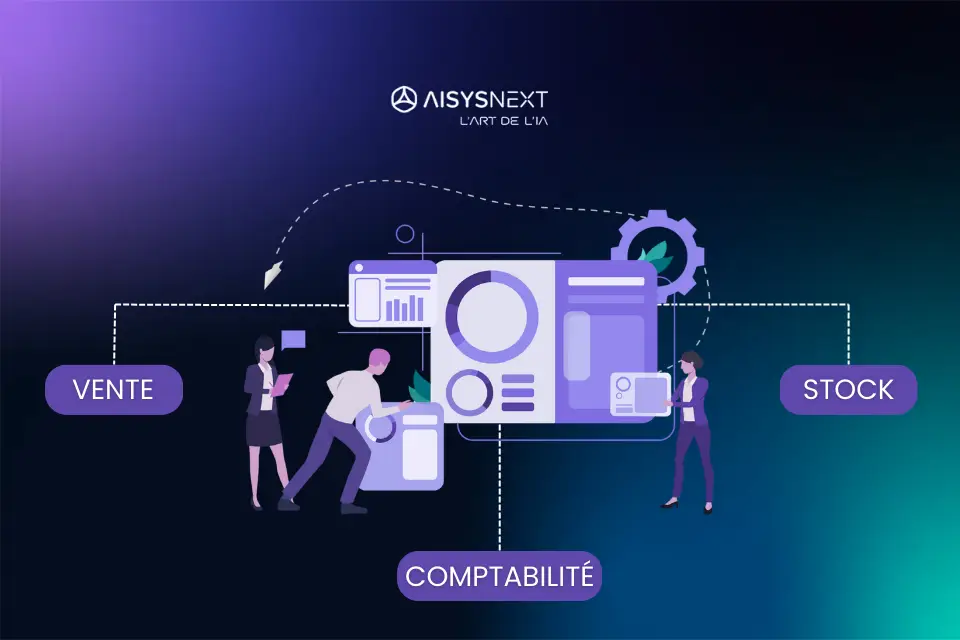
A well-configured ERP links these three key functions in a single system: as soon as you record a sale, the system updates inventory and automatically prepares the accounting entries. In this article, we explain how an ERP unifies sales, accounting, and inventory in an SME, and why this integration has become essential to keep control of your business.
1. The problem with fragmented systems: triple entry, triple risk
Without an ERP, the usual way of working often looks like this:
The salesperson enters the order in a file or a quoting tool.
Accounting enters it again to issue the invoice or record the entry.
Logistics updates inventory in another file or software package.
This way of working leads to several problems:
Triple manual entry = triple risk of error.
Data that does not match between sales, inventory, and accounting.
Time lost reconciling information.
Difficulty knowing, in real time, what has been sold, delivered, invoiced, and paid.
An ERP for SMEs is designed precisely to eliminate these breaks and centralize information.
2. An ERP as the backbone of sales management
In a modern ERP (Odoo, ERPNext, Dolibarr, or another), sales management follows a consistent, integrated flow:
Creation of the quote in the ERP.
Conversion into a sales order, then into a delivery note.
Automatic generation of the invoice from the order.
Tracking of payments and customer reminders.
At each step, the information is:
Recorded only once.
Linked to the customer, the product, the price, and the commercial terms.
Accessible to the other departments (accounting, inventory, management).
No more double entry, no more competing versions of the same document: everything is aligned.
3. Automatic inventory updates: from the sale to the physical movement
Inventory management is one of the sensitive points for SMEs:
Too much stock = cash tied up.
Not enough stock = stockouts and disappointed customers.
With an ERP, every sales document directly affects inventory:
Validation of a delivery note → automatic decrease in stock.
Validated customer return → available quantities restored.
Supplier receipt → immediate update of stock levels.
The advantages:
Real-time knowledge of the quantities in stock, reserved, and on order.
Salespeople do not sell an unavailable product.
Logistics can anticipate replenishment needs.
The ERP becomes the single source of truth for all data related to products and inventory.
4. Accounting integration: from the invoice to the journal entry without re-entry
In many SMEs, accounting still spends a significant amount of time re-entering information that comes from sales and inventory. With an ERP, this manual work drops drastically.
In practice:
The customer invoice generated from the sale feeds accounting directly.
The revenue, customer, VAT, discount, and other accounts are configured automatically.
Customer payments (bank transfers, cash, cards, checks) are matched to the invoice and to the corresponding accounts.
The benefits:
Fewer re-entries and accounting errors.
More up-to-date books for a better view of cash flow.
Faster, more reliable closings.
A well-configured ERP does not replace the accountant, but it saves them valuable time by automating a large share of data entry.
5. A 360° view: linking sales pricing, margins, and inventory
The major benefit of linking sales, inventory, and accounting in an ERP is the steering capability it gives management.
With this integration, you can:
Analyze revenue by product, customer, or channel.
Track the actual margin, taking purchase costs and discounts into account.
Identify the most profitable products and those that tie up too much stock.
Measure the time between order, delivery, invoicing, and payment collection.
In short: the ERP lets you move from “gut feeling” management to decision-oriented steering based on figures.
6. A concrete case: the flow of an order in an ERP
A simplified example of a flow in an ERP:
The salesperson creates a quote for a customer.
The customer approves → the quote becomes a sales order.
Logistics prepares the order → the ERP generates a delivery note and updates inventory.
The ERP converts the order into an invoice and sends it to the customer.
Accounting automatically receives the entry linked to the invoice.
The system records the customer’s payment → it reconciles the invoice and updates the cash position.
All of this happens without repeated re-entry, without piecing information back together by hand, and without endless back-and-forth between departments.
7. How AISYSNEXT sets up this type of flow in your SME
AISYSNEXT helps companies configure and deploy ERPs (Odoo, ERPNext, Dolibarr, and others) in a practical way, adapted to realities on the ground.
Our approach:
Analysis of the existing flows: prospecting → payment, inventory, and accounting.
Modeling of the target flow in the ERP: quote → order → delivery → invoice → accounting.
Configuration of the sales, inventory, and accounting modules with the right accounts and workflows.
Team training (sales, administration, accounting, logistics) and go-live support.
Result: a continuous chain between your sales, your inventory, and your accounting – with an ERP that becomes the nerve center of your SME.
Need support?
Talk about your project with an AISYSNEXT expert:
https://aisysnext.com/contact-equipe-expert/
Get an ERP / CRM estimate or quote:
https://aisysnext.com/demande-devis-gratuit/